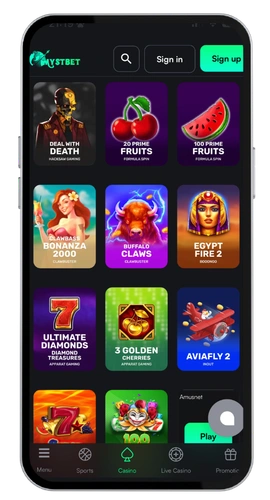
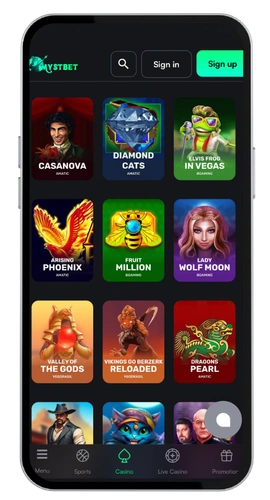
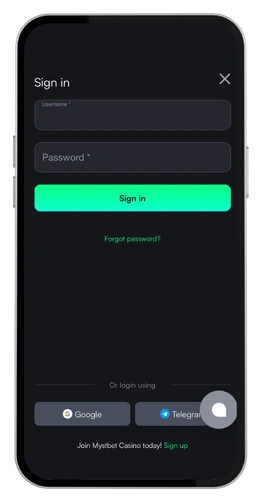
Getting into your account at MystBet casino takes seconds, and that’s how we like it. Over 3500 games sit behind that login button, from Pragmatic Play slots to live blackjack tables running around the clock. Myst Bet casino also runs a full sportsbook and eSports section, so one set of credentials covers everything. We keep the process short because nobody wants to fight a website before they even see a reel spin.
Our sign in page works equally well on desktop, mobile browser and Android app. You input your email address that you registered with, your password and click the login button. If you forgot your password, clicking on the forgot password link will email you a reset.
MystBet Mobile App Access Anywhere
All our sites use a single sign-on. Create your account on our website once and the same login will bring you into our app or any browser. No extra sign-up and no extra verification steps.
We provide secure site connections and suggest optional two-factor authentication during login. We request a valid email address so that we can contact you if ever you need to be assisted. Canadian players can fund their accounts through Interac, which is an instant transfer, and our English-speaking customer service staff respond in real-time through our 24/7 live chat option.
Sign Up process on Desktop
If you’re on a laptop, desktop registration is the fastest way. Here’s how you do it.
Log on our official website, and press the sign up button on top right hand corner.
Please enter your e-mail address and make a password of eight characters or more.
Choose CAD as your currency and then all your balances will be displayed in C$.
Add your personal details, full name, date of birth and address.
Confirm you’re of legal age and accept the terms, then submit.
It takes just under two minutes to complete the process. We email a confirmation link to your inbox, you click it, and your account is registered. You’ll need to be verified a little later – generally sometime before your first withdrawal, for security purposes. At that stage, we’ll require a photo ID and a recent utility bill to verify the info you’ve given us. Withdrawals take 1 to 3 business days, once the check is cleared.
Next time you want to login, click the login button and enter your details and you’re back in the games. A MystBet login takes one click if the details were stored in your browser.
Enrollment via the Mobile Application
Our application built on Android is 41 MB, and we have swift installation. Here is the way to Myst Bet login by our app.
Download the app file from the link provided on our website and confirm to install it.
Open it and click on the registration button on the welcoming page.
Enter your email, set a password and choose CAD.
Fill in your personal details and confirm your age.
Tap the link in the confirmation email we send.
Time to set up will be about 90 seconds from first tap to done. As there is no automatic login, you’ll need to log in each time you do it so your account isn’t at risk of being compromised on a shared device.
Web Version from Mobile
Can’t be bothered another app consuming storage? Simply launch us in Chrome/Safari and the mobile web version loads the casino login page. Also notice the sign up link on the page. Hit it, submit an email, create a password, input your details and submit. Same form as on the desktop version just scaled down for your screen.
Perfect for iOS users, those with limited storage or people who now use a work phone and tablet! Your account is compatible with every browser so your progress and balance go where you go! Just add to your home page and enjoy app-style play without the installation.
If you see login issues, click the password recovery link or contact customer support. All chats are answered 24/7, and most login issues can be fixed in a matter of minutes.